
Pourquoi cela compte
Project managers do not need to become model authors, but they do need access to model signals when those signals affect scope, cost, schedule, coordination, or client reporting.
Section 1
Why monthly BIM reporting is too slow for project control
Project managers often receive BIM information after it has already been translated, summarized, and softened into a report. That report may be accurate, but it is usually late. In a live infrastructure project, model changes can affect quantities, package readiness, construction sequencing, interface discussions, and commercial questions long before the next monthly reporting pack is finished.
Waiting a month for BIM reporting also creates a dependency on manual interpretation. Someone exports data, cleans it, chooses screenshots, writes comments, and decides what to highlight. That human work is valuable, but it can also hide weak signals. A quantity shift may be buried in a spreadsheet. A package may look complete visually while still missing the data needed for a decision. A model may be marked as issued even though its warnings or classification gaps make it risky for downstream use.
This matters more on large rail and infrastructure work because decisions are connected across packages. A change in a station model can affect systems, access, quantities, temporary works, and stakeholder reporting. A project manager does not need every Revit detail, but they do need a current view of the model signals that can influence commitments.
- Manual reports often describe what happened rather than what is changing now.
- Screenshots can support a discussion but cannot show the full quantity or data pattern.
- Meeting-driven updates depend on who prepared the message and how much time they had.
Section 2
How project managers can use BIM dashboards in daily work
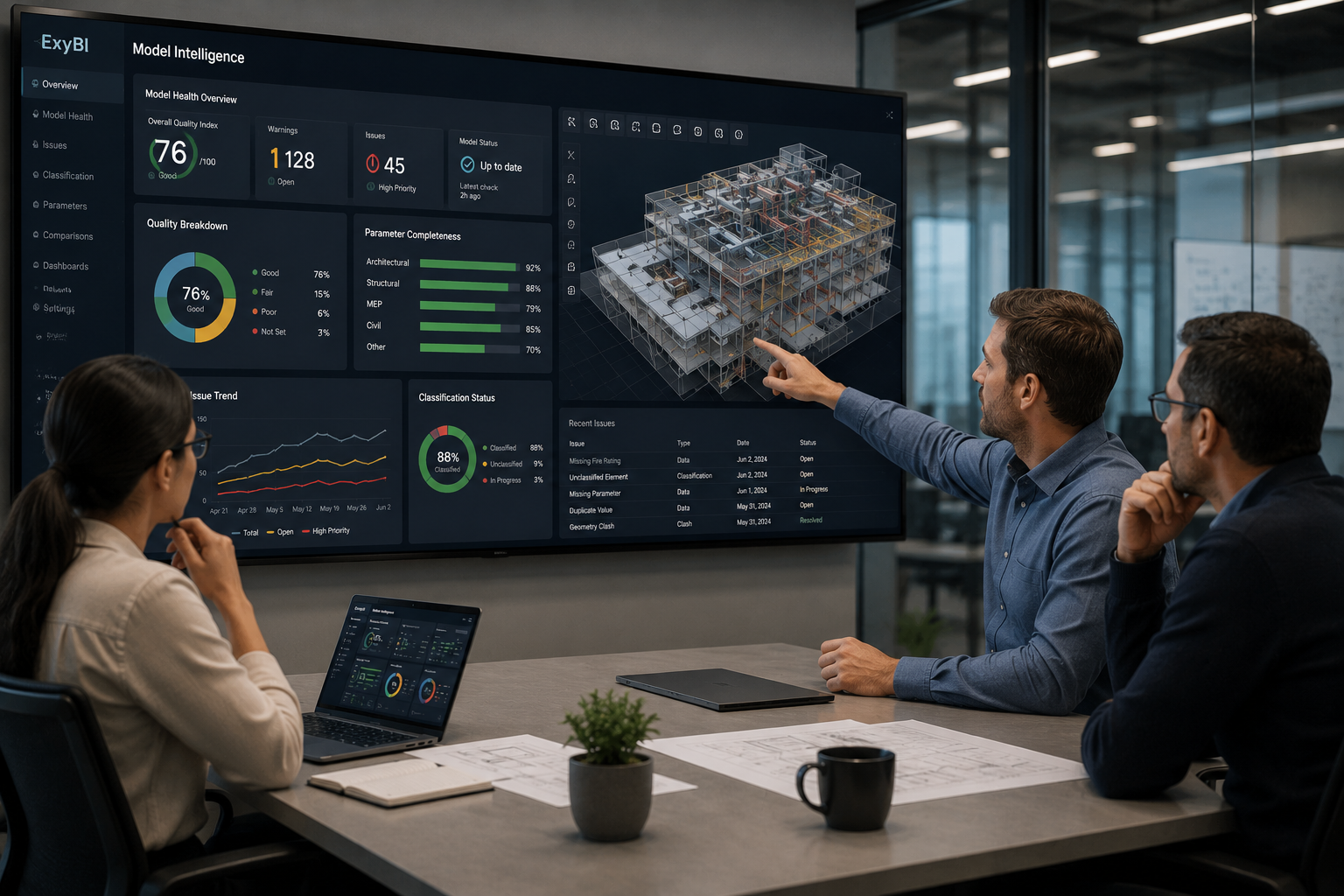
A project manager can use BIM dashboards without opening the authoring model. The dashboard should answer management questions in plain project terms: which package changed, which quantities moved, which areas are ready, which models are late, which data fields are missing, and which disciplines need attention before the next coordination session.
ExyBI helps by moving Revit model data into a Power BI-ready structure. The project manager can look at quantities by package, model versions by publish date, element counts by location, warning trends, and data completeness views that indicate whether model information is credible enough to use in decisions. When a dashboard signal needs visual context, ExyViewer can help the team inspect the relevant model area instead of arguing from a spreadsheet alone.
Used well, the dashboard becomes part of the project routine. Before a coordination meeting, it can highlight the packages with the most movement. Before a cost discussion, it can show quantity changes that need explanation. Before a client update, it can separate genuine model progress from unverified status language. It does not replace the BIM manager or design leads; it gives the project manager a clearer way to ask the right questions.
- Review quantity movement before commercial and planning conversations.
- Track model publish history so the team knows which version supports each report.
- Use visual context to check whether dashboard changes are real design movement or data-quality noise.
Section 3
What the project manager gets in practice
In practice, the project manager gets earlier warning of model-based project signals. A dashboard can show that structural quantities changed in a specific zone, that a discipline model has not been republished since the last coordination cycle, that classification completeness is too weak for reliable package grouping, or that warning counts increased after a major update.
Those views support better meetings. Instead of spending the first half of a meeting discovering what changed, the team can arrive with the relevant changes already visible. That improves the quality of questions: why did the quantity move, who owns the change, is it design progress or model cleanup, and does it affect schedule or cost assumptions?
ExyBI is not a project management system by itself. It is a way to bring BIM model intelligence into the reporting environment project managers already understand. For infrastructure and rail teams, that means BIM information can become part of project control instead of remaining a specialist report that arrives after the decisions have started moving.
- Dashboard views for quantities, model versions, package readiness, warnings, and data completeness.
- Faster coordination meetings because the model signals are visible before the discussion starts.
- Better project questions about scope, change, cost exposure, and delivery readiness.
Points d’action
- Monthly BIM reports are often too slow for active project control.
- Project managers benefit from dashboard signals that show quantity movement, model readiness, and package change.
- ExyBI connects Revit model data to Power BI and ExyViewer so BIM information can support management decisions earlier.
Point de réalité
- A dashboard should not be treated as contractual truth without checking the model version, publish scope, and data quality behind it.
- Project managers still need BIM and discipline leads to interpret technical causes behind dashboard signals.
Commandes et fonctions liées
ExyBI
Project dashboards, Quantity signals, ExyViewer context
Bring model signals into project control
ExyBI helps project teams use Revit model data, quantities, and visual context in dashboard reviews before monthly reporting becomes the first source of truth.
Explore ExyBI